
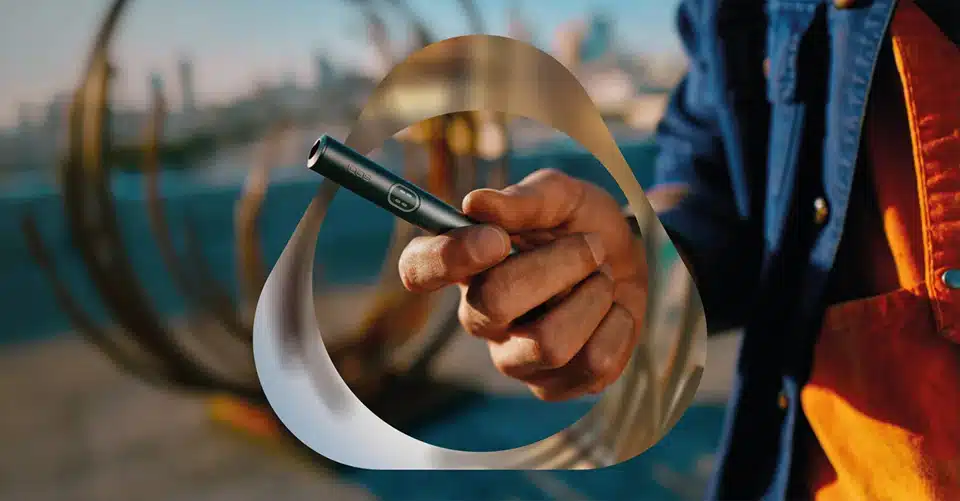
How to Identify Your IQOS Model
The quickest way to identify your IQOS is to check the full model name on its original box, invoice or purchase confirmation. Pay attention to every word and letter after IQOS. ORIGINALS ONE, ILUMA ONE and ILUMA i ONE are different devices, even though their names look similar. If you no longer have the packaging, use the device’s design to narrow down the model, then check its serial number or the registered device details in your IQOS account.
Start With the Box or Purchase Record
Check the Complete Model Name
Read the product label on the original packaging and note the model name exactly as printed. Look closely for terms such as ORIGINALS and ILUMA, as well as the small letter i following ILUMA. These details help you find the correct operating instructions and support information. For example, IQOS provides separate guidance for ILUMA PRIME and ILUMA i PRIME, although both models have a removable holder and a separate pocket charger.
If you own more than one IQOS, make sure the packaging matches the device you want to identify. Where possible, compare the device identifier on the box with the markings on the hardware. If you purchased a second-hand kit containing a holder and charger, record the information printed on both components. This will make it easier to explain which part you need help identifying when contacting customer support.
Understand the Model Name and Serial Number
The model name tells you which version you have, such as IQOS ILUMA i PRIME. A serial number, on the other hand, identifies an individual device or component. Two-piece IQOS kits may have separate serial numbers for the holder and pocket charger. If you contact support about a holder problem, specify that you are providing the holder’s number. For charging-related questions, keep the pocket charger’s serial number available too.
How to Identify Your IQOS Without the Original Box
Check Whether It Has One Body or a Separate Holder and Charger
The overall construction is a useful starting point when the packaging is unavailable. A single integrated device may belong to the all-in-one range, including ILUMA ONE, ILUMA i ONE or ORIGINALS ONE. A slim holder that fits inside a separate pocket charger points towards a two-piece model, such as ILUMA, ILUMA PRIME or ORIGINALS DUO. Use these physical details to narrow down the possibilities, then confirm the exact generation through its printed model name or registered device information.
| What You Have | What to Check Next |
|---|---|
| One integrated device with a charging port on its body | Check the complete model name. ONE is used in both ORIGINALS and ILUMA model names. |
| A removable holder and a separate pocket charger | Inspect the charger’s closure and look for model information on the holder or original packaging. |
| A holder with a touch screen and a charger with a tilt-open door | Compare the design with IQOS ILUMA i. |
| A holder with a touch screen and a charger with a wrap closure | Compare the design with IQOS ILUMA i PRIME. |
IQOS describes the tilt-open door as a feature of ILUMA i and the wrap closure as a feature of ILUMA i PRIME. Both models have a touch screen on the holder, making the charger’s design another useful identification clue.
How to Tell ILUMA PRIME and ILUMA i PRIME Apart
The holder’s touch screen is a helpful feature when comparing these two generations. On IQOS ILUMA i PRIME, the screen displays information such as pre-heating progress and the time remaining in a session. Both versions have a separate holder and pocket charger, so examine the two components rather than relying on the overall shape alone.
The charger closure can provide another clue: ILUMA i PRIME has a wrap-style closure, while ILUMA i has a tilt-open door. If the design still leaves you uncertain, confirm the complete model name using the original packaging or the device details registered to your IQOS account.
Where to Find Your IQOS Serial Number
Check the Device, Original Packaging or IQOS Account
Start by inspecting the underside of the original box. IQOS identifies the packaging as one of the places where you can find the device serial number. If you previously registered your product, sign in to your IQOS account and open the My Devices section. The registered details may be easier to access than the small printed markings on the hardware.
Some models have more specific serial number locations. According to the IQOS Swiss support guide, the number is located on the right side beneath the wrap on the original ILUMA PRIME, beneath the door cover on ILUMA, and at the base of ILUMA ONE. IQOS Philippines identifies the sides of the holder and pocket charger as the locations for ORIGINALS DUO. For ORIGINALS ONE, the serial number is on the outside of the heating chamber beneath the removable cap.
Serial number placement can vary by model and market. If you cannot find the marking in the expected location, consult the support instructions for your exact device version.
What to Do If the Serial Number Is Difficult to Read
If the printed marking is worn or difficult to see, move the device into good lighting and take a close-up photograph. Zoom in on the image and check similar-looking characters carefully, especially 0 and O. If the number remains unclear, look at your registered devices, original packaging or purchase invoice.
When contacting IQOS support, provide the characters you can read and explain where you found them. Make it clear whether the number belongs to the holder, pocket charger or an all-in-one device. This helps avoid confusion when support checks your product details.
Which Sticks Should You Choose for Your IQOS Model?
Match the Stick Family to Your Device
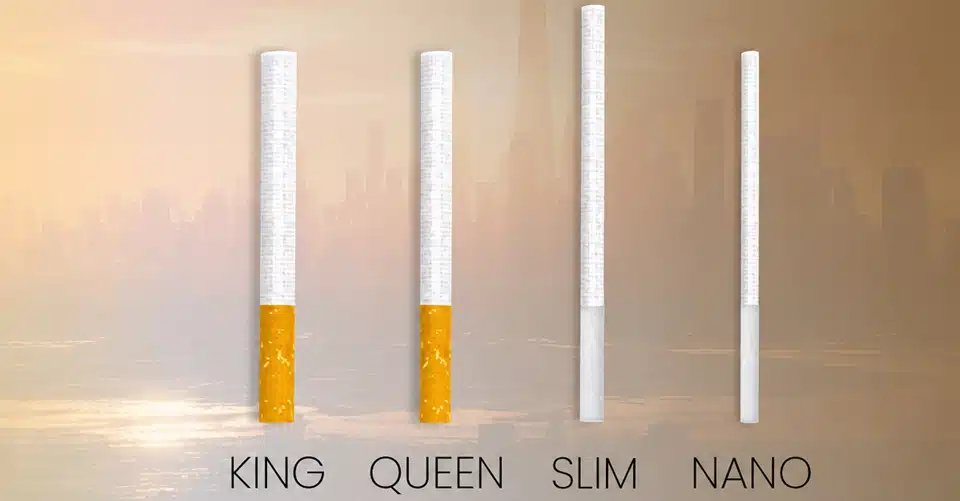
If your device name includes ILUMA or ILUMA i, choose TEREA when comparing it with HEETS. If you have a compatible blade-based model, such as IQOS 3 DUO or ORIGINALS DUO, look for HEETS instead. The two stick families use different heating technologies and are not interchangeable.
Our HEETS vs TEREA compatibility guide lists compatible device models side by side and explains the differences between their heating systems.
If you are ordering again using a photograph of an older pack, check the stick family as well as the variant name. Colours such as Amber can appear in both ranges, so the variant name alone may not be enough. Once you have confirmed which family your device supports, browse the corresponding options in the IQOS sticks catalogue.
Common Questions About IQOS Model Identification
Is IQOS ORIGINALS ONE the Same as ILUMA ONE?
No. These are two different all-in-one devices with different heating systems. ORIGINALS ONE uses a heating blade and is compatible with HEETS. ILUMA ONE uses induction technology and is designed for TEREA. If you can only read the word ONE, check the rest of the model name on the original box or in your registered IQOS device details before choosing your sticks.
Can I Identify My IQOS Model From the Charger Alone?
The charger’s shape and closure can help you narrow down the model, particularly when comparing a tilt-open door with a wrap-style design. However, if the holder and charger were purchased separately, inspect the holder’s markings too. Identifying the exact holder model is important when checking stick compatibility or finding the correct operating instructions.









Add comment
You must be logged in to post a comment.